
LuckyElf Casino in Your Pocket
We are LuckyElf Casino, and our app does the job without the fuss: log in, spin Gates of Olympus or sit at an Evolution table in a couple of taps, then cash out in Bitcoin, Visa or Skrill. No hunting through menus at a red light.
The LuckyElf Casino App at a Glance
Your full account, games and cashier on your phone, without the extra steps.
We are LuckyElf Casino, and our app puts the full lobby on your phone without the clutter. You get the same account, balance and bonus you use on desktop, so nothing needs setting up twice. Slots, live dealer tables, poker and sports betting all sit under one login. Your login stays saved, so you skip the password routine every time. Open it, pick a game, play. That is the whole idea.
The game list is the full catalogue, not a cut-down mobile version. Gates of Olympus, Book of Dead and Starburst load quickly and keep the same RTP and features they have on desktop. Live tables come from Evolution, and the slots are built by Pragmatic Play, NetEnt and Push Gaming. New players can claim the 100% welcome match with 100 free spins straight from the app, and the bonus tracker shows wagering progress in plain numbers instead of vague percentages.
Payments work the way you'd expect. Deposit in AUD with Visa, Mastercard, Maestro, Skrill, Neteller, ecoPayz or Paysafecard, or use Bitcoin, Ethereum, Litecoin, Dogecoin and TRON if you prefer crypto. You request withdrawals from the cashier tab in a few taps. Stuck on something? Live chat opens inside the app, and email and phone support cover anything that needs a longer answer. Below we go through the install steps, device requirements and the things the app does better than the browser.
Mobile Site vs App: Which One Should You Use?
A plain comparison of the browser version and the LuckyElf Casino app, based on what you actually do with each.
Both get you the same account, the same AUD balance and the same 100% bonus with 100 free spins. The difference is how you get in and what it costs your phone. The mobile site runs in Safari or Chrome with nothing to install. Open it, log in, play Gates of Olympus. If your phone is short on storage or you only play now and then, that's the sensible choice.
The app is for regulars. It keeps you logged in, starts faster and sends push alerts when a new promo drops. Live tables from Evolution hold the stream a bit better on patchy 4G, which you'll notice on the train. Deposits work the same either way: Visa, Mastercard, Skrill, Neteller, Bitcoin and the rest are on both. Want to know what's different? It's mostly convenience, not content. Every Pragmatic Play, NetEnt and Push Gaming title in the lobby is available on both versions.
| Feature | Mobile site | App |
|---|---|---|
| Install needed | No, runs in the browser | Yes, a one-off download |
| Storage used | Close to none | Roughly 50 to 100 MB |
| Login | Each session, unless you save it in the browser | Stays signed in, with fingerprint or face login |
| Load speed | Depends on the browser | Faster after the first launch |
| Game library | Full lobby | Full lobby |
| Live dealer streams | Good on stable Wi-Fi | More stable on weak signal |
| Push notifications | No | Yes, for promos and payouts |
| Payment methods | All 12 options | All 12 options |
| Updates | Automatic | Through the app store or a prompt |
Android Download: Getting LuckyElf on Your Phone
Install takes about two minutes, here is the fast way to do it.
Google Play doesn't list most real-money casino apps, so you won't find LuckyElf Casino there. You get the Android version straight from our site as an APK file. It sounds fiddly. It isn't. The whole thing takes a couple of minutes on a decent connection, and the file is light enough that an older phone won't choke on it.
Once it's on your phone you get the full lobby: Gates of Olympus, Book of Dead, Starburst, live tables from Evolution, plus slots from Pragmatic Play, NetEnt and Push Gaming. Sports betting and poker are in the same app, so you don't need a second download. Deposits in AUD work the same as on desktop, with Visa, Mastercard, Skrill, Neteller, Paysafecard, and crypto such as Bitcoin, Ethereum, Litecoin, Dogecoin and TRON.
One tip that saves time: update Android before you start. Older builds sometimes block the install screen, and people waste ten minutes poking at settings when a system update would have fixed it.
Go to LuckyElf Casino in Chrome or any mobile browser and tap the Android download button in the menu.
Android will ask whether your browser can install unknown apps. Switch that on for this one file, then switch it back off afterwards if you like.
Open the downloaded file from your notifications or the Downloads folder and tap Install. It usually finishes in under a minute.
Open the app, sign in or register, and claim the 100% welcome bonus with 100 free spins if you haven't used it yet.
How to Install LuckyElf Casino on iOS
No App Store download needed, just Safari and about a minute of your time.
There's no LuckyElf app in the App Store, and you don't need one. The iPhone version is a web app you add to your Home Screen from Safari. It opens full screen, logs you straight in and runs the same lobby as desktop: Gates of Olympus, Book of Dead, Starburst and the Evolution live tables, all in AUD.
Skip the sideloading guides and "IPA download" links you'll find on forums. They waste your time at best. What you want is the real site in Safari and the Share button. It works on iOS 15 or newer and takes up almost no storage, since the games stream in instead of sitting on your phone. Updates happen on our end, so you never have to install a patch.
Go to the LuckyElf Casino site in Safari. Chrome on iPhone can do it too on newer iOS versions, but Safari is the most reliable.
Hit the square icon with the arrow at the bottom of the screen. On iPad it sits at the top right.
Scroll the menu down, tap "Add to Home Screen", keep the LuckyElf name or change it, then tap Add.
Launch the new icon and sign in. Turn on Face ID login if you want quick access next time.
New players can take the 100% bonus and 100 free spins, then top up with Visa, Bitcoin or Skrill from the cashier.
Full App Features in the LuckyElf Casino App
Everything the desktop site does, packed into your phone, plus a few extras.
Slots, live tables, poker and sports betting all sit in one app. Gates of Olympus, Book of Dead and Starburst load the same as on desktop, with no trimmed-down mobile versions.
Evolution tables stream in HD and adjust when your signal drops. On a patchy 4G connection the picture gets softer but the game keeps running, and that's the bit that matters.
You can switch from a slot to a live match without logging out or opening a second app. Your balance carries across, so one top-up covers both.
Twelve payment options, including Visa, Mastercard, Skrill, Neteller, Paysafecard and crypto like Bitcoin, Ethereum, Litecoin, Dogecoin and TRON. Saved methods cut a deposit to about three taps.
The welcome deal, 100% plus 100 free spins, shows up in your account with a live wagering bar. You can check how much play you have left without reading the terms again.
Live chat opens inside the app, and the chat history stays put if you switch screens. Email and phone are listed under the help tab for anything that needs more detail.
Turn on push notices for new Pragmatic Play and Push Gaming releases or promo drops, and mute the rest. If you don't want a buzz every hour, you won't get one.
Set deposit caps, session reminders or a cool-off period straight from your profile. Fingerprint or face login keeps the account locked if someone else picks up your phone.
LuckyElf Casino App Screenshots
Six screens that show where everything sits before you install.
Here's the app as it looks on a phone, no filters, no mock-ups. I've picked six screens because those are the ones you'll actually use. The rest is menus you open once and forget.
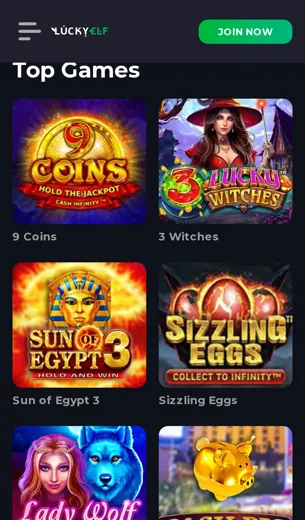
The lobby loads first. Slots sit up top, with Gates of Olympus, Book of Dead and Starburst usually in the first row. Filters for Pragmatic Play, NetEnt and Push Gaming are one tap away, so you don't have to scroll through hundreds of titles to find a favourite. The live casino tab runs on Evolution, and the tables open in portrait mode without you turning the phone sideways.
The cashier screen is the one worth checking before you sign up. All the methods are on one page: Visa, Mastercard, Maestro, Skrill, Neteller, Paysafecard, ecoPayz and crypto options like Bitcoin, Ethereum, Litecoin, Dogecoin and TRON. Amounts show in AUD, so there's no guessing the conversion.
The bonus screen shows the welcome offer of 100% plus 100 free spins, with the wagering terms on the same card. Saves you digging through the T&Cs page. Sportsbook and poker each have their own tab in the bottom bar. Support is the last icon: live chat opens straight in the app, and email and phone details are listed underneath.
One tip: if a screen looks different on your device, update the app. Layouts change with new releases.
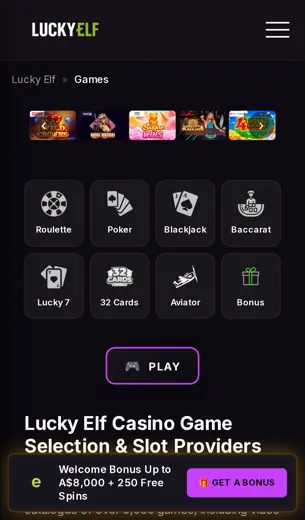
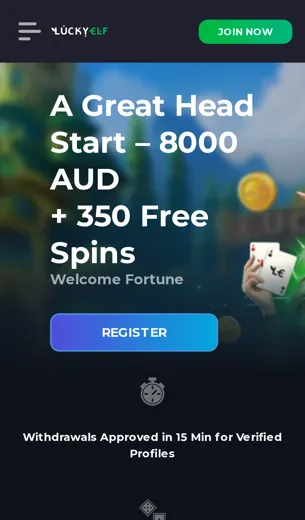
First Deposit Bonus
A 100% match plus 100 free spins on your first top-up, and how to claim it without hassle.
Here's the deal on the first deposit bonus at LuckyElf Casino. Your first top-up gets matched 100%, and we add 100 free spins on top. You deposit in AUD and play with double. There's no maze of tiers to work out before you can spin.
The free spins go on pokies, so think Gates of Olympus or Book of Dead rather than live tables. Evolution's live games usually count for less toward wagering. If you're clearing the bonus, stick to slots from Pragmatic Play, NetEnt and Push Gaming. That's where your play actually moves the meter.
Funding is quick. Visa, Mastercard, Skrill and Neteller all work, and so do Bitcoin, Ethereum, Litecoin and Dogecoin if you'd rather use crypto. Check the cashier first, though. Some e-wallets can be excluded from promos, and finding that out after you've paid is a wasted trip.
- 100% match on your first deposit
- 100 free spins credited alongside the bonus
- Wagering terms shown in the cashier before you confirm
LuckyElf App FAQ
Short answers to what players actually ask before they tap deposit.
What exactly is LuckyElf?
LuckyElf Casino is an online casino with slots, live tables, poker and a sportsbook under one account. The app gives you the same lobby as the desktop site, sized for your phone.
Is LuckyElf a legit casino?
We run under a Curaçao licence, and our games come from Evolution, Pragmatic Play, NetEnt and Push Gaming. You'll find the full licence details in the legal section at the bottom of the page.
How do I check if a casino is legit?
Look for a licence you can verify, game studios you recognise and payment brands like Visa or Skrill. Then read the withdrawal terms before your first deposit.
How can I spot a fake gambling site?
Watch for huge bonuses with no terms, no named providers and support that never answers. If you can't find out who licenses them, walk away.
What is the welcome bonus?
A 100% match on your first deposit plus 100 free spins. The full conditions are on the bonus page.
What does a 40x wagering requirement mean?
You have to bet the bonus amount 40 times before it turns into withdrawable cash. An AUD 50 bonus at 40x means AUD 2,000 in total bets. Always check the actual multiplier in the terms.
Which payment methods work in the app?
Visa, Mastercard, Maestro, Skrill, Neteller, ecoPayz and Paysafecard, plus Bitcoin, Ethereum, Litecoin, Dogecoin and TRON. Balances show in AUD.
Which games run well on mobile?
Gates of Olympus, Book of Dead and Starburst load fast, and the Evolution live tables stream fine on a decent connection.
Can I bet on sports in the app?
Yes. The sportsbook sits next to the casino and uses the same wallet.
How do I reach support?
Live chat is the quickest. Email and phone work too if you'd rather not type.
Is the app different from the website?
It's the same account, balance and games. Start a session on your laptop and finish it on your phone.